
Separate schedules, scattered medical records, and spreadsheet-based financial tracking create extra work for clinics with multiple specialties. Staff repeatedly enter patient information, search for documents, and check data manually. These steps contribute to delays, make growth more difficult, and affect the patient experience, as patients must repeat information or wait for outstanding issues to be resolved.
In this article, you will learn how software for multidisciplinary and multiprofessional clinics can centralize management, which features help reduce errors, and what to evaluate to make workflows more organized, productive, and predictable.
What Is the Difference Between Multidisciplinary and Multiprofessional Clinics, and What Challenges Do They Face?
A multiprofessional clinic brings together healthcare professionals from different fields or specialties. They may practice independently, share administrative resources, or work together to coordinate patient care.
The term “multidisciplinary” is often used when different disciplines contribute to the same care plan. “Multispecialty,” meanwhile, can describe clinics that bring several medical specialties together within a single organization.
Although these models differ, their management challenges are similar:
- Duplicate patient records: Front desk staff must update the same information in multiple places.
- Incomplete patient histories: Providers search for assessments and progress notes in separate files.
- Billing inconsistencies: Completed sessions are not accurately reflected in financial records.
- Scattered documents: Contracts and signed consent forms remain in emails or external folders.
- Limited operational visibility: Managers must consolidate spreadsheets before analyzing results.
The result is an operation that depends on manual checks and staff memory. As the number of patients, providers, and sessions increases, this model becomes harder to sustain.
The first step is to identify where information originates, who needs to use it, and which steps require duplicate data entry. This assessment helps guide software selection.
What Are the Six Core Areas of Centralized Clinic Management?
Centralization can be evaluated across six areas:
| Area | What Needs to Be Connected | Management Benefit |
|---|---|---|
| Scheduling | Providers, locations, rooms, and recurring appointments | Visibility into available capacity |
| Patient care | Patient registration, medical history, documents, and progress notes | Continuity of information |
| Access management | User roles, permissions, and activity logs | Greater control over data |
| Financial management | Billing, expenses, commissions, and provider payments | Fewer manual checks |
| Communication | Appointment confirmations and patient relationship management | A more organized patient journey |
| Performance metrics | Clinical, operational, and financial data | More consistent decision-making |
If one of these areas remains isolated, staff will need to transfer or verify information manually. Software evaluation should therefore go beyond the number of available features. It should also examine how those features work together.
How does integrated scheduling prevent conflicts and duplicate work?
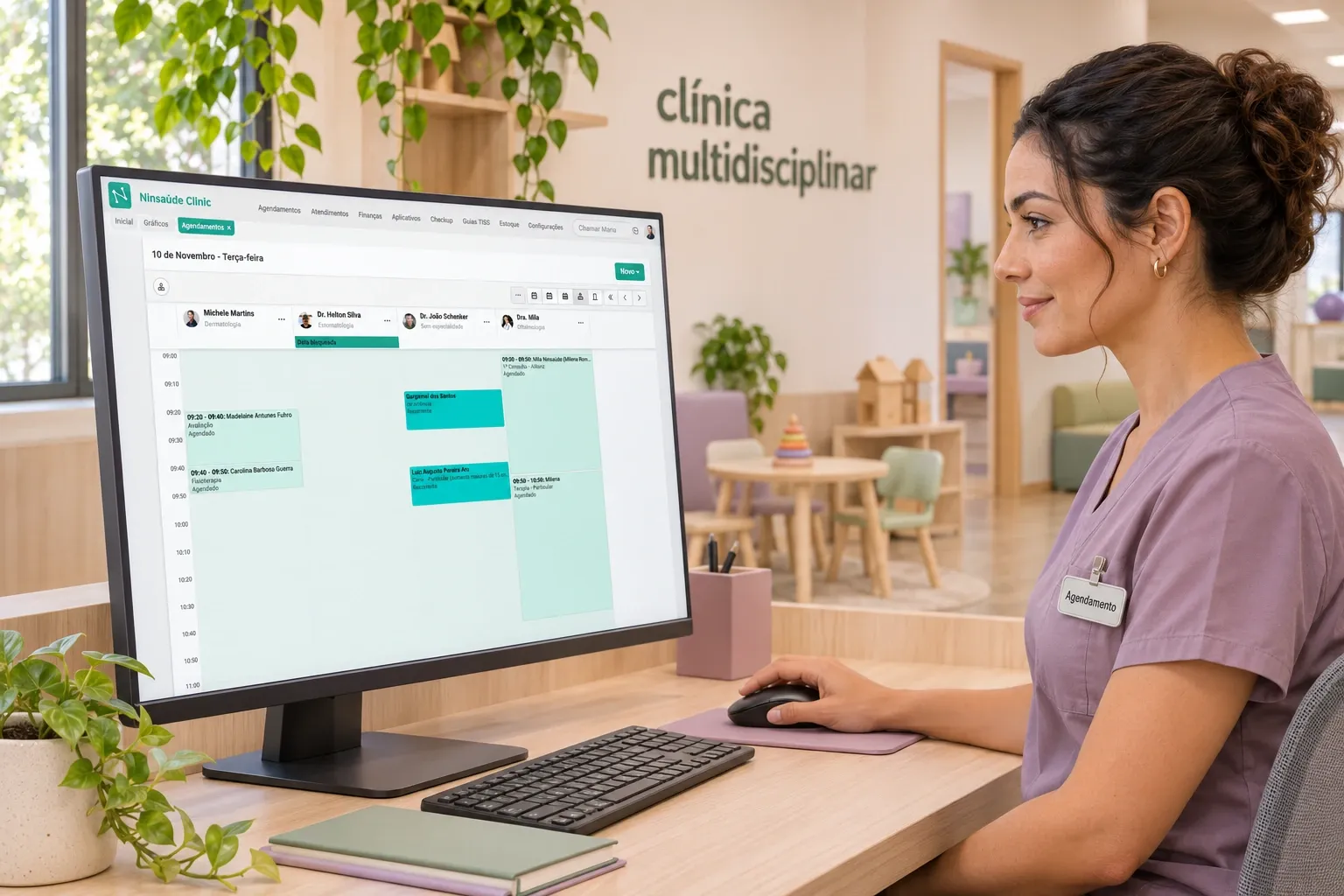
Integrated scheduling brings providers, patients, rooms, and appointment times into the same workflow. When each specialty maintains its own schedule, front desk staff lose visibility into clinic availability and must consult multiple sources to confirm an appointment.
This can lead to double-booked rooms, overlapping sessions, and difficulty rescheduling a series of treatment appointments. In multiprofessional care, a single patient may have appointments with a psychologist, a speech-language pathologist, and an occupational therapist during the same week.
When evaluating the system, check whether it allows you to:
- View schedules across providers and locations.
- Create recurring appointments and manage individual exceptions.
- Manage rooms and other shared resources.
- Record attendance, no-shows, cancellations, and rescheduling.
- Automate appointment confirmations and track responses.
What Should a Flexible Electronic Health Record Offer Across Specialties?
A flexible electronic health record should bring together the patient’s history while supporting documentation templates tailored to each specialty. When a system cannot accommodate these differences, providers turn to external documents and separate notes. The clinic loses consistency, and staff spend more time locating previous assessments, treatment decisions, and results.
Priority features include:
- Customizable medical history and intake forms.
- Specialty-specific progress note templates.
- Chronological organization of patient encounters.
- Support for attaching documents and test results.
- Clear identification of the provider responsible for each entry.
How Can Providers Share Medical Records While Protecting Patient Privacy?
Medical record sharing should support coordinated care through permissions aligned with each professional’s responsibilities. For organizations subject to HIPAA, protected health information must be handled according to applicable privacy and security requirements. Role-based access policies help define which workforce members may access patient information.
HIPAA’s minimum necessary standard generally limits information use and disclosure, but it does not apply to disclosures to, or requests by, healthcare providers for treatment purposes. Access policies should reflect this distinction and any additional restrictions that apply. HHS.gov
Without access to relevant patient history, providers may repeat questions and work with incomplete information. Conversely, unrestricted access increases unnecessary exposure of patient data.
When choosing software, evaluate:
- Permissions by user, role, and care team.
- Configurable record-sharing groups.
- The ability to restrict records when necessary.
- Audit trails for access and changes.
- Individual identification of each person entering information.
How Can Financial Management Be Connected to Completed Appointments?
Financial management should use scheduling and service delivery data to organize billing, collections, and provider payments. When these processes rely on separate spreadsheets, staff must manually verify what was scheduled, delivered, billed, and paid.
This disconnect makes it harder to identify unbilled sessions, overdue balances, and discrepancies in provider payments. It also reduces confidence in the results presented to management.
An integrated system should allow the clinic to track:
- Accounts payable and receivable.
- Self-pay and insurance-covered services.
- Treatment packages and remaining session balances.
- Provider payments based on compensation rules.
- Cash flow and financial results by location or service.
To evaluate the workflow, follow an appointment from scheduling through payment collection and provider compensation. Check whether the steps remain connected and whether adjustments are clearly recorded.

Why Should Multispecialty Clinics Integrate Electronic Signatures?
Integrating electronic signatures helps keep contracts, consent forms, and other documents linked to the patient’s record. For clinics providing recurring therapy sessions, this feature is particularly useful for tracking completed paperwork and retrieving documentation throughout care delivery.
When documents remain outside the system, front desk staff must search for files and manually confirm whether the correct version was signed. This creates outstanding tasks and makes document history harder to review.
When choosing a solution, evaluate:
- Links between the document, patient, and legal representative, when applicable.
- Signer identification and evidence of signing.
- Version control and signature status tracking.
- Document storage and retrieval with access permissions.
- Integration with administrative and clinical workflows.
The signature method should be appropriate for the document and applicable requirements. Integration is an important operational feature, but it does not automatically make every document legally valid.
What Works in Practice When Centralizing Clinic Management?
Centralized management works when information recorded at one stage can be used in subsequent stages, with clear rules and fewer manual interventions. Bringing tools together on one platform improves productivity only when workflows are effectively connected.
An organized workflow combines:
- Centralized patient registration: Consistent information for scheduling, documents, and billing.
- Automation: Appointment confirmations and repetitive tasks managed according to defined rules.
- Organized patient history: Encounters, clinical notes, and documents that are easy to locate.
- Alerts: Timely identification of pending signatures, authorizations, or payments.
- Dashboards and charts: A consolidated view of clinic operations.
- Performance metrics: Schedule utilization, no-shows, overdue balances, and denied claim amounts.
How Does Ninsaúde Clinic Support Multidisciplinary and Multiprofessional Clinics?
How Does Ninsaúde Clinic Support Multidisciplinary and Multiprofessional Clinics?
Ninsaúde Clinic connects administrative and clinical workflows to help clinics with different specialties centralize information, reduce reliance on separate tracking tools, and organize teamwork. Features that support these workflows include:
- Integrated scheduling and financial management: Bring appointments, billing, collections, and provider payments together in one place, making operations easier to monitor.
- Customizable electronic health records: Adapt forms and documentation templates to the needs of each specialty.
- Medical record sharing: Make patient histories available to groups of providers according to access permissions.
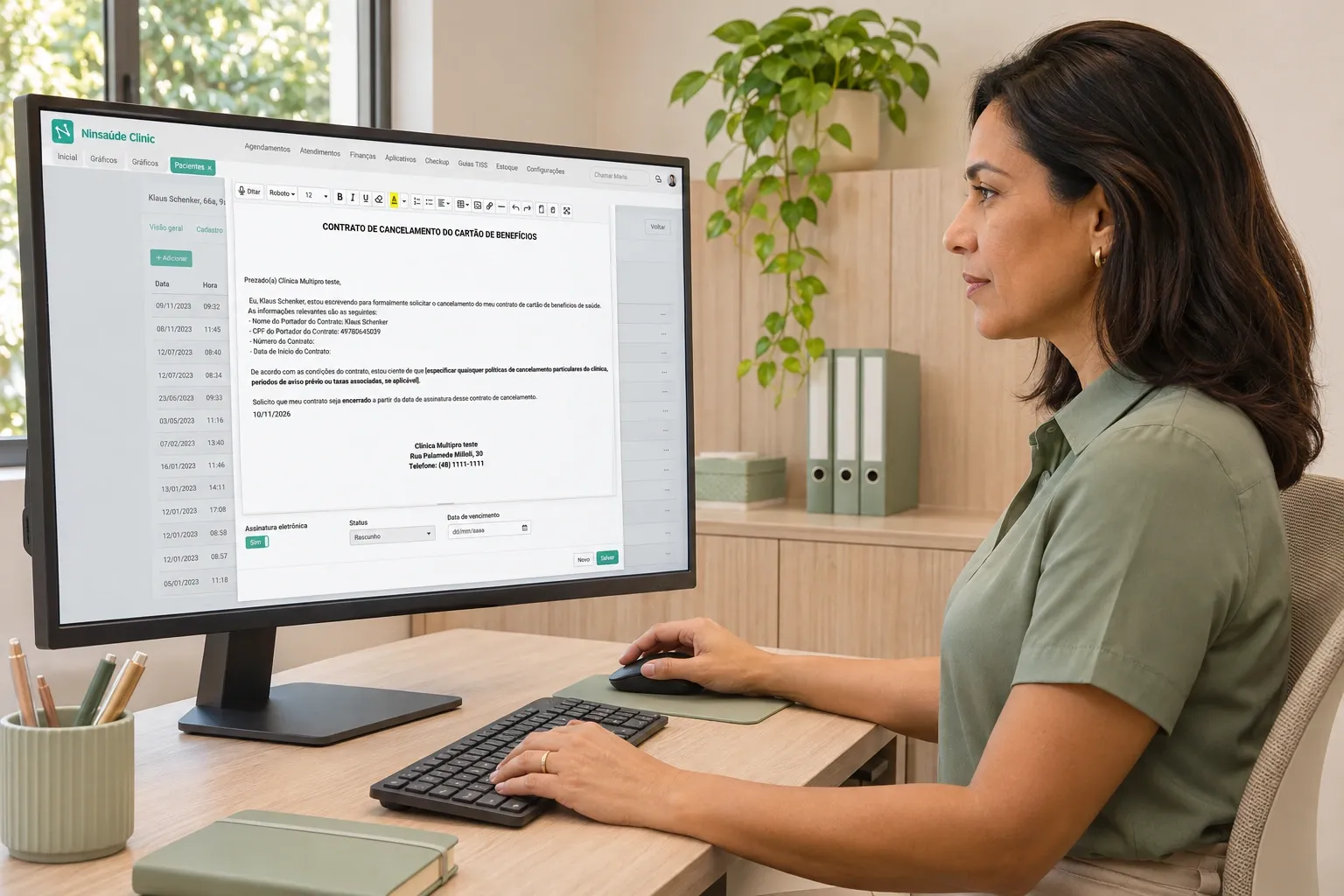
- Electronic signatures with Ninsaúde Sign: Sign and store contracts and consent forms through an integrated, complementary solution.
- Integrations with other applications: Connect external tools through a RESTful API with OAuth 2.0 authentication, webhooks, and monitoring logs. Explore the Ninsaúde developer documentation to learn about the available options.
Explore Ninsaúde Clinic and request a demonstration based on your clinic’s workflows to evaluate how the platform can support your providers and management team.
What Are the Frequently Asked Questions About Software for Multidisciplinary and Multiprofessional Clinics?
What Features Should Software for Multidisciplinary and Multiprofessional Clinics Include?
It should integrate scheduling, customizable electronic health records, financial management, and documents. It should also support information sharing with access controls. For recurring therapy services, evaluate recurring appointment scheduling, session tracking, and integrated electronic signatures.
Can Providers Access a Patient’s Complete Medical Record?
Access should follow the clinic’s role-based policies, applicable privacy requirements, and professional confidentiality rules. HIPAA permits policies that give treating providers access to complete medical records when appropriate. The system should support authorized sharing and restrictions where required, with access aligned to each team member’s responsibilities in patient care. HHS.gov
What Is the Best Software for a Multidisciplinary Clinic?
The best fit integrates scheduling, patient care, financial management, communication, and performance metrics while supporting configurations for individual providers and specialties. Security, permissions, implementation, support, and integration capabilities should also be part of the evaluation.
Which Software Should a Multiprofessional Clinic Use?
The choice should start with the clinic’s workflows. Managers need to map specialties, services, financial rules, locations, and access levels. They should then test whether the system supports the complete patient journey without relying on separate tracking tools.
Can One System Meet All the Needs of a Multispecialty Clinic?
An integrated system can centralize much of the administrative and clinical workload, but its coverage depends on the clinic’s needs and the features included in its subscription. Before choosing, test essential workflows and identify any necessary external integrations. The goal is to reduce overlapping tools and manual data transfers while retaining the capabilities the clinic needs.
Found this information helpful?
Keep following our blog for more content on practice management, healthcare marketing, and innovation in healthcare.
Are you a healthcare professional who has yet to explore Ninsaúde Clinic? Discover how the platform can streamline workflows and help improve the quality of patient care.
