
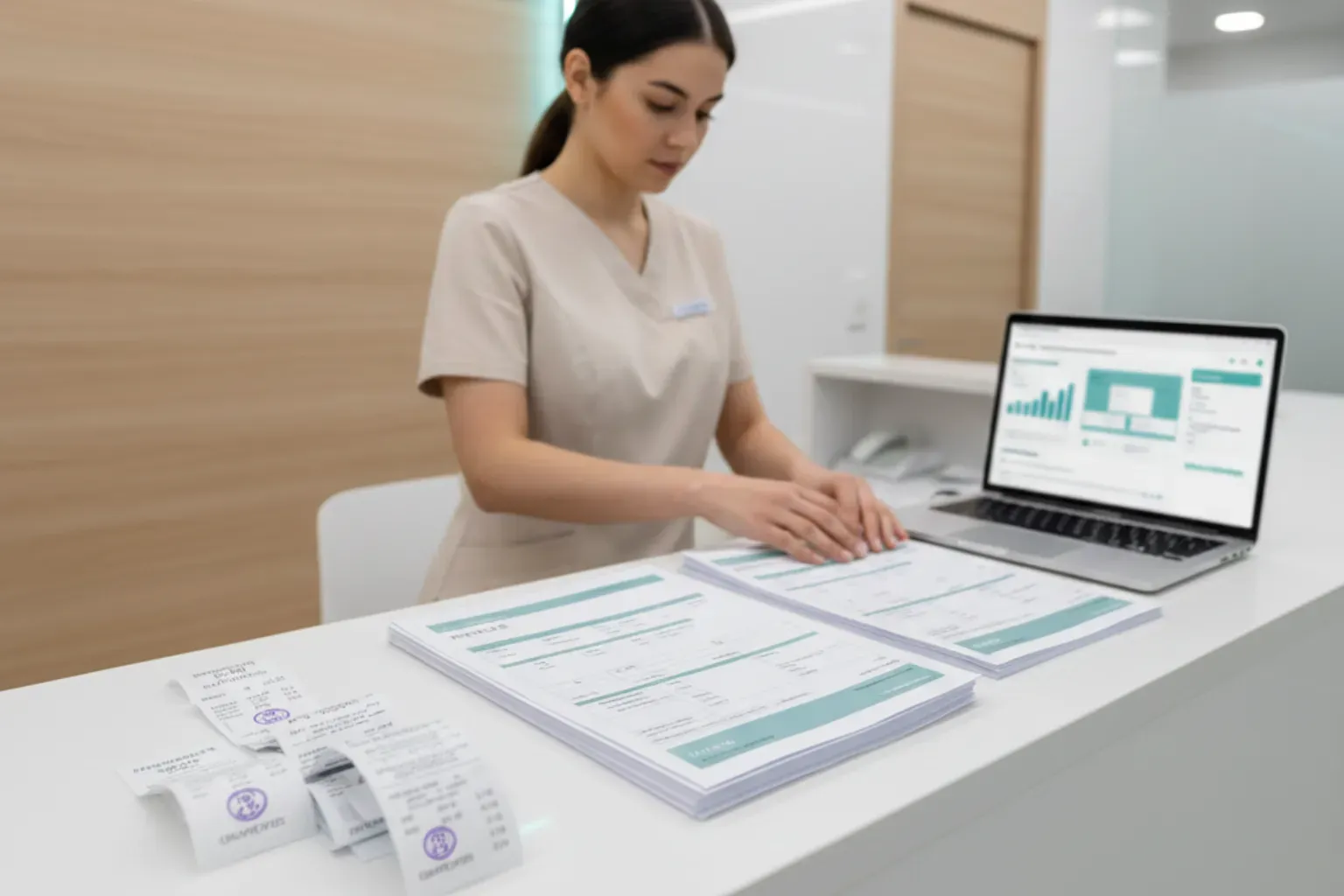
Issuing receipts and invoices (NF) may seem like just a bureaucratic requirement, but for clinics and medical practices it’s a critical point in management. These documents are how you prove the service was provided, organize cash flow, meet accounting requirements, and give patients what they need for reimbursements and income tax purposes. When this process is improvised, the risks of errors, information loss, and tax problems increase.
When choosing a system for this routine, the healthcare manager is deciding how money comes in, how it is recorded, and how it is analyzed within the clinic. The ideal tool must be simple for daily use, yet robust enough to ensure security, traceability, and integration with the rest of the operation. In this article, we will address Issuing Receipts and Invoices: Which System to Use
Receipt vs. invoice: different functions, complementary responsibilities
Understanding the role of each document helps avoid confusion at the base of the process.
Receipt
This is the proof of payment. It shows that the patient paid for a service or product, with date, amount, description, and clinic information. It helps with internal organization and is often accepted in simple situations, but it does not replace a tax invoice when the law requires a fiscal document.
Invoice (NF-e / NFS-e)
This is the fiscal document with legal and tax validity. In clinics, the most common is the NFS-e (Electronic Service Invoice), issued to the city/municipality because it relates to service provision. In cases involving the sale of products (orthotics, supplements, cosmetics), the NF-e, at state level, may also be required.
In practice, patients use these documents to:
- Request reimbursement from health plans or insurance;
- Prove medical expenses in their income tax return;
- Keep an official record of the care they received.
The system needs to make it easy to issue receipts and, at the same time, organize the workflow that leads to issuing the invoice, without duplicate work.
Before we move on, one important note: if you manage a healthcare clinic and need better scheduling organization, a secure electronic health record, and centralized financial processes, Ninsaúde Clinic can streamline your daily operations. Get in touch to learn more.

Why paper receipt books and spreadsheets hurt the clinic
Many clinics start out with paper receipt books, Word templates and Excel spreadsheets. That works while the volume is small, but problems quickly appear:
- Every document has to be filled in from scratch, increasing the risk of errors.
- It becomes difficult to find an old receipt or check amounts.
- What is on paper, in the spreadsheet, and with the accountant may not match.
- In audits or patient disputes, traceability is weak.
On top of that, the manager loses managerial visibility. Without a centralized system:
- Revenue by provider? Only with a lot of manual calculations.
- Appointments performed without a document issued? Almost impossible to track.
- Analysis by payer, service type or location? It costs the team many hours.
In other words, time that should be used for strategic decisions ends up spent on checking data.
Three system paths: which one makes sense for your reality?
In practice, managers usually fall into one of these three scenarios.
1. ERP or generic financial system
These are systems used by companies in any sector. They usually offer:
- Issuing NF-e and NFS-e;
- Accounts payable and receivable;
- “Customer” records;
- Financial reports.
They help with the fiscal side, but they don’t speak the language of healthcare. Common weaknesses:
- They don’t integrate with the appointment schedule or electronic health record;
- They don’t handle insurance or payer rules, specific fee schedules, or denials;
- The team has to register the visit in one system and the invoice in another.
The result is duplicate work and a higher risk of inconsistencies.
2. Public portals and free invoice issuers
Cities/municipalities and states often offer free NFS-e or NF-e issuers. They’re useful for very small or new practices, but:
- They depend on manual data entry for each invoice;
- They don’t provide financial control (cash flow, bad debt, profit and loss);
- They don’t integrate with the schedule, EHR, or CRM;
- They don’t serve high-volume clinics or multi-site practices well.
They end up becoming a makeshift “add-on”: they cover the minimum legal requirement, but don’t help with management.
3. Medical software with an integrated financial module
These are systems designed specifically for clinics and medical practices. They typically bring together:
- Medical scheduling with appointment confirmations;
- Electronic health records and patient history;
- A financial module (accounts payable/receivable, cash flow, commissions);
- Issuing receipts linked to the visit and integration or support for invoice issuance.
Solutions like Ninsaúde Clinic, for example, allow you to record the visit, log the payment, issue the receipt, and integrate invoice issuance using the same data, reducing manual typing and errors. In this way, each visit becomes a complete record: patient, service, provider, amount, and document issued.

Practical criteria for choosing the ideal system
Beyond price and a nice interface, some technical and operational aspects make a big difference in daily practice.
1. Tax compliance and data security
Check whether the system:
- Supports the NFS-e model used by your city/municipality, or integrates with a compatible issuer;
- Stores the document history with date, time, and responsible user;
- Has access control by user level, in line with data protection regulations (such as LGPD in Brazil or equivalent laws in your country);
- Allows secure data export for your accountant.
In healthcare, any failure in this area can turn into a legal and reputational issue.
2. Integration with the patient journey
Ideally, document issuance should be part of the natural workflow of care. Ask:
- Is the financial module truly integrated with the schedule?
- Is it possible to generate the charge and receipt right after the visit, without retyping data?
- Are documents linked to the patient’s history?
- Are there reports by provider, payer, service type, and location?
The less your team has to “copy and paste” between screens, the lower the risk of errors.
3. Automation of repetitive tasks
A good system helps the front desk and finance team save time. Examples:
- Automatic receipt when the payment is recorded;
- Management of session packages, with automatic deduction for each visit;
- Calculation of commissions per provider based on recorded revenue;
- Sending documents by email or WhatsApp directly from the system;
- Integration with payment methods (Pix, card, boleto, or local equivalents).
Each small automation reduces friction that, over time, consumes many hours each month.
4. Clear reports and managerial insight
Besides issuing documents, the system should help you make decisions. Useful reports include:
- Revenue by period, location, provider, and payer;
- Visits performed vs. documents issued;
- Most profitable or highest-volume services;
- Bad debt and late payments.
This level of visibility allows you to adjust pricing, scheduling, staffing, and strategy more confidently.

How it all works in practice: two common scenarios
To see the impact of a well-chosen system, it’s helpful to look at everyday situations.
Private visit with immediate payment
- The patient books the appointment and confirms their details.
- The provider sees the patient and completes the record in the system.
- Front desk records the payment (Pix, card, cash, or another method).
- The system generates the receipt on the spot and, where integrated, supports invoice issuance without re-entering data.
- The amount immediately appears in the revenue reports.
You gain speed in service and consistency between what was done, what was charged, and what was reported.
Package of sessions or ongoing treatment
- The patient buys a package of 10 sessions.
- The system records the package, generates the charge, and issues the corresponding receipt.
- For each completed session, the team deducts one session from the package via the schedule.
- The manager can see how many sessions have been used, how much has been paid, and what is still pending.
Without this visibility, it’s common to see conflicts over “missing sessions” or discrepancies between what was paid and what was delivered.

Turning document issuance into an ally of clinic management
When issuing receipts and invoices is treated as mere bureaucracy, the clinic tends to adopt improvised solutions: paper books, spreadsheets, isolated portals. That addresses the bare minimum, but generates duplicate work, raises the risk of errors, and makes financial control harder.
In contrast, when the manager sees this process as central to management, they look for a system that integrates schedule, clinical care, finances, and documents in a single flow. Medical software with an integrated financial module ensures each visit is properly recorded, charged, and documented—with safety for the clinic, clarity for the patient, and reliable information for decision-making.
So, the most consistent answer to “which system should I use to issue receipts and invoices?” is: the one that doesn’t just issue documents, but connects those documents to the clinic’s strategy, helping you build an organized, auditable financial structure that’s ready to grow sustainably.
Enjoyed these insights?
Keep following our blog for more content on clinic management, medical marketing, and healthcare innovation.
Are you a healthcare professional who hasn’t tried Ninsaúde Clinic yet? Discover how the platform can streamline processes and elevate the quality of patient care.
