

A well-trained front desk isn’t just “being friendly”: it’s flow. It’s the right person saying the right thing, through the right channel, at the right time—without losing safety, accuracy, or empathy.
For clinic managers, physicians, and healthcare franchise administrators, training a medical clinic receptionist is the fastest path to reduce bottlenecks (schedule, phone, WhatsApp, delays) and turn patient service into operational predictability.
What “good front desk service” means in practice
When we talk about medical clinic front desk and best practices, think in two layers:
- What the patient notices: warmth, clarity, organization, waiting time, guidance, and trust.
- What the clinic needs: standardization, data security, traceability, agility, and a schedule without gaps.
A strong front desk guides patients with minimal friction while protecting the clinic: confirmations recorded, add-on rules followed, messages delivered without distortion, and sensitive information handled discreetly. “Good service” becomes a repeatable routine—especially in networks and franchises.

Front desk responsibility matrix
To organize the clinic front desk routine and front desk processes, build a simple matrix: responsibility, channel, goal, standard, and owner.
Common workstreams (and where they usually break):
- Front desk counter: orient, check-in, prioritize in-person demands.
- Phone: first screening, questions, scheduling, and add-ons.
- WhatsApp: confirmations, rescheduling, documents, follow-ups.
- Scheduling: booking rules (duration, visit types, preparation, insurance).
- Confirmation: confirmation window + waitlist.
- Add-ons and follow-ups: clear criteria and mandatory logging.
- Unit A/B (franchise): same rules; exceptions only when documented.
If your team still relies on “memory” and parallel spreadsheets, training becomes quicksand. A system that centralizes scheduling and history helps a lot—it’s worth noting that platforms like Ninsaúde Clinic can make standardization easier when the clinic needs to automate appointments and keep everything traceable in one place.
Before we move on, one important note: if you manage a healthcare clinic and need better scheduling organization, a secure electronic health record, and centralized financial processes, Ninsaúde Clinic can streamline your daily operations. Get in touch to learn more.

7-day training plan (fast onboarding)
Effective medical clinic front desk training must be short, hands-on, and measured. Here’s a 7-day onboarding plan:
Day 1: tone of voice + posture
Objective empathy, simple language, always end with a clear next step.
Day 2: schedule + booking rules
Visit types, duration, preparation, late policies, follow-up rules.
Day 3: confirmation + no-show
Confirmation model, timelines, waitlist, “reschedule rule.”
Day 4: administrative triage
Documents, insurance, authorizations, consent forms, payments.
Day 5: difficult situations
Upset patients, urgency demands, physician delays, price disputes.
Day 6: standards and checklist
Daily checklist and logging standards (what must be recorded).
Day 7: simulations + evaluation
Role-play with real scenarios; score clarity, speed, and documentation.
Franchise tip: record the simulations (audio) and turn them into an internal library. Repetition with a standard is what scales.

Scripts that standardize without sounding robotic
A good receptionist service script reduces errors and anxiety—without making service feel artificial. Use this structure: welcome + confirm + guide + close with next step.
First call script
“Hi! This is [Name] from [Clinic]. May I confirm your name and what specialty you’re looking for? … Perfect. Do you prefer mornings or afternoons, and which location?”
Rescheduling script
“Got it. To help you quickly: do you want to stay with the same provider, or can I offer the first available time? Here are your options…”
“I’ll check and get back to you” script
“I’m going to confirm that with our team and get back to you by [time]. Which channel do you prefer—WhatsApp or a call?”
Dissatisfied patient script
“I’m sorry you had that experience. I’ll log your feedback and propose an objective solution right now: we can [option 1] or [option 2]. Which works best for you?”
WhatsApp: messages that reduce rework
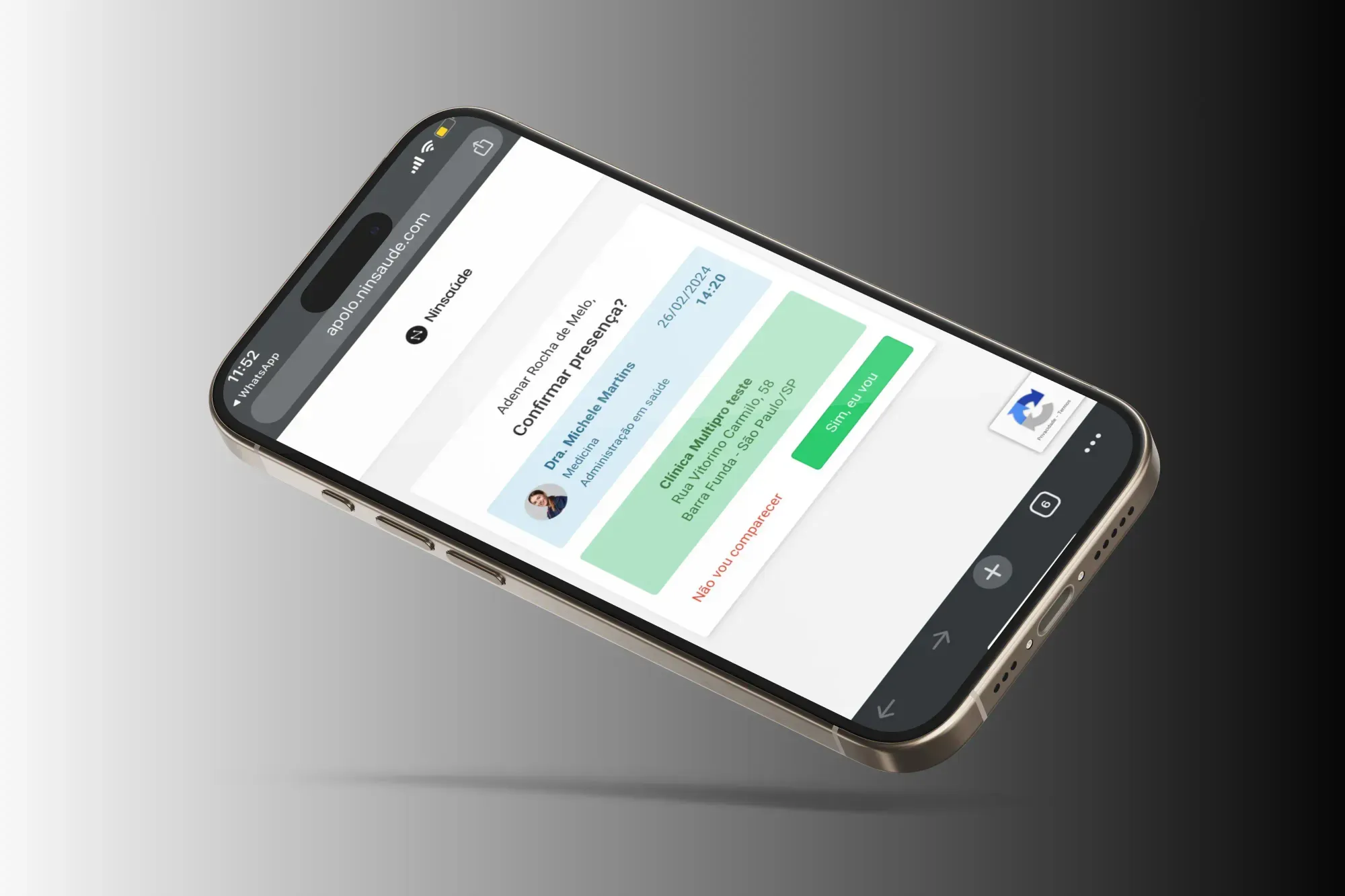
Here the goal is a WhatsApp appointment confirmation message with templates that prevent repetitive back-and-forth and reduce no-shows.
Reminder + preparation
“Hi, [Name]! Confirming your appointment with [Provider] on [date/time] at location [X].
✅ Reply 1 to CONFIRM or 2 to RESCHEDULE.
📌 Please arrive 10 minutes early and bring [document/referral].”
Rules for timing and language
- Keep messages short (up to 4 lines).
- One action per message (confirm or send documents).
- Avoid voice notes for confirmations (they don’t scale).
- Avoid long texts during peak hours.
Quick replies and shortcuts
Create shortcuts: prep, address, documents, prices, reschedule, delays.
And if your clinic uses a system that integrates confirmations with scheduling, even better: it reduces back-and-forth and avoids losing history. (This is the kind of operational gain platforms like Ninsaúde Clinic typically enable when the goal is to automate and log the flow.)
Daily front desk checklist (open, run, close)
A clinic front desk checklist is what turns training into consistency. Use three blocks:
Opening (10 min)
- Review today’s schedule (priorities, add-ons, follow-ups).
- Pending insurance/authorization items.
- WhatsApp messages received overnight.
During the day
- Confirmation rounds (defined window).
- Add-on adjustments with clear criteria.
- Log messages with owner and deadline.
Closing (15 min)
- Review the next 2 days (confirm what’s missing).
- Track no-shows and reschedules.
- Clear critical messages.
How to train to reduce no-shows
To reduce no-shows, the front desk needs a routine—not “extra effort.”
- Best confirmation window: 48 hours prior + same-day reinforcement (morning).
- Reschedule rule: always reschedule to a specific date (never “I’ll check later”).
- Smart waitlist: patients open to earlier slots + criteria by visit type.
Train the team to offer options objectively: “I can add you to the waitlist to move your appointment earlier. If a slot opens, I’ll let you know by [time].”

Humanized service with a standard (without losing time)
Humanized front desk service isn’t about talking more; it’s about creating less uncertainty.
Phrases to avoid vs better alternatives
- “I don’t know.” → “Let me check and get back to you by [time].”
- “We can’t.” → “I can’t do that today, but I can offer [option 1] or [option 2].”
- “It’s the insurance company’s fault.” → “Insurance denied it due to [objective reason]. Let’s solve it via [path].”
How to say “no” without friction
Use “no + why + alternative”: it lowers conflict and keeps authority.
Welcoming sensitive situations
Pregnancy, grief, pain, new diagnosis: lower voice, privacy, and priority on clear guidance.
Critical scenario drills (role-play)
For clinic service standardization, simulate real crises:
- Physician running late: aligned messaging + reschedule option + queue management.
- Insurance denied: verify data, guide documents, offer an alternative (self-pay/follow-up).
- Patient demanding urgency: route to protocol (add-on criteria or emergency guidance).
- Agitated patient: neutral language, clear boundaries, call support, protect staff.
A good role-play ends with: “what must be logged?”, “what is the next step?”, “who owns it?”
Simple metrics to prove improvement
Without numbers, training becomes opinion. Use front desk KPIs tied to operational efficiency:
- WhatsApp response time (average and peak).
- Confirmation rate (confirmed ÷ scheduled).
- No-show rate (no-shows ÷ scheduled).
- Front desk waiting time (samples per shift).
- Reschedules by reason (price, time, delay, insurance).
Practical tip: set a “30-day improvement target,” not a “perfect target” from day one.
Ready-to-use materials (to download and apply)
If you want a clinic front desk manual and a ready checklist, start with these two items (copy and turn into an internal PDF):
1) Daily checklist (template)
- Opening: schedule, pending items, confirmations
- Midday: add-ons, follow-ups, critical messages
- Closing: next 2 days, no-shows, final logging
2) Mini manual (1 page)
- Tone of voice
- Booking rules
- Confirmation rules
- Logging standards
- Essential scripts
When the issue is “process,” not “people”
Before blaming the team, check whether you’re trying to train on top of chaos. To organize the clinic front desk, look for signs of systemic bottlenecks:
- Parallel paper/spreadsheet scheduling
- Rework (the same patient explaining the same thing three times)
- Lack of standard across units
- Information “disappearing” between shifts
- Confirmation without logging (nobody knows if it happened)
When the process is weak, people become heroes—and heroes don’t scale. Standardize the flow, train with simulations, and log everything. That’s how the front desk becomes a predictable growth engine—and, if it fits your operation, having a system that centralizes scheduling and automates confirmations (like Ninsaúde Clinic) helps sustain the standard without improvisation.
Enjoyed these insights?
Keep following our blog for more content on clinic management, medical marketing, and healthcare innovation.
Are you a healthcare professional who hasn’t tried Ninsaúde Clinic yet? Discover how the platform can streamline processes and elevate the quality of patient care.
